Studio
From idea to app you can ship
Describe your app, change it by pointing at it, and keep only what you approve. The code is real from the first screen.
Start
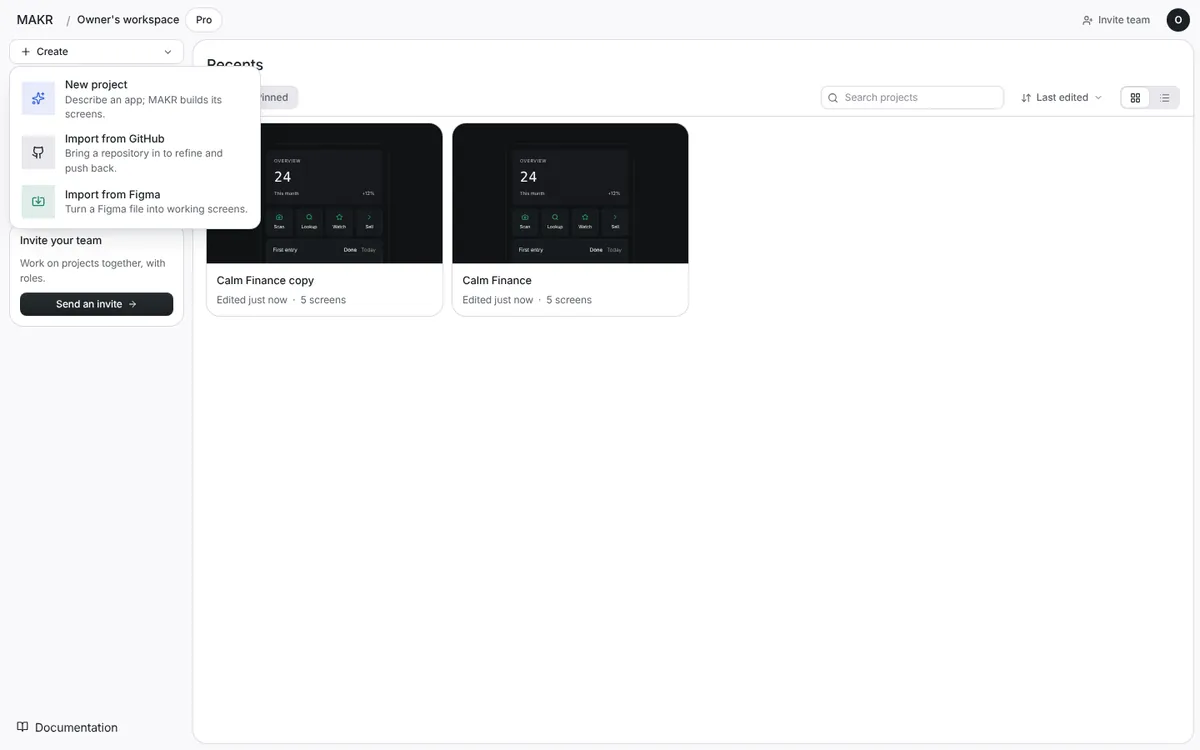
Describe it, and the screens appear
Type your idea or import from GitHub or Figma. GOOEY plans the screens your app needs and builds each one as working React code.
- New project from an idea
- Import from GitHub or Figma
- Pick a design style to start from
See everything
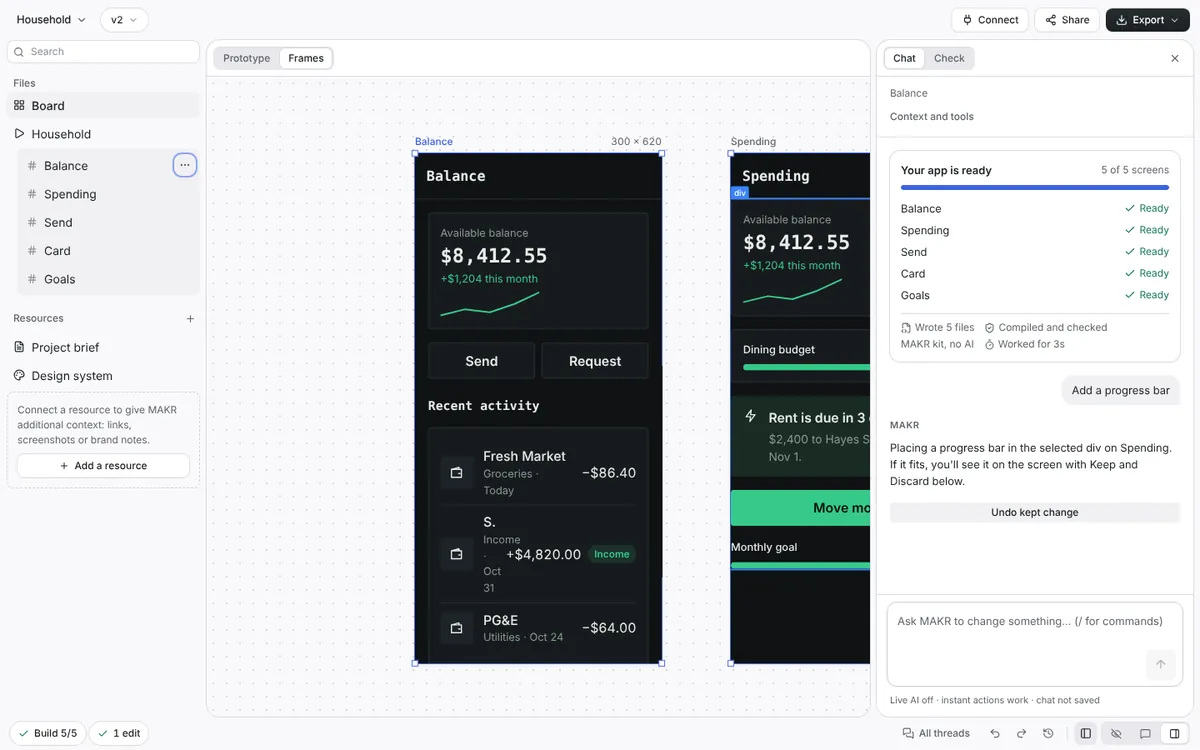
Every screen on one board
Frames shows all of your screens side by side. Switch to Prototype to tap through the app as a user would, at phone or desktop size.
- Frames board and live prototype
- Phone, tablet and desktop sizes
- Screens grouped the way your app flows
Change
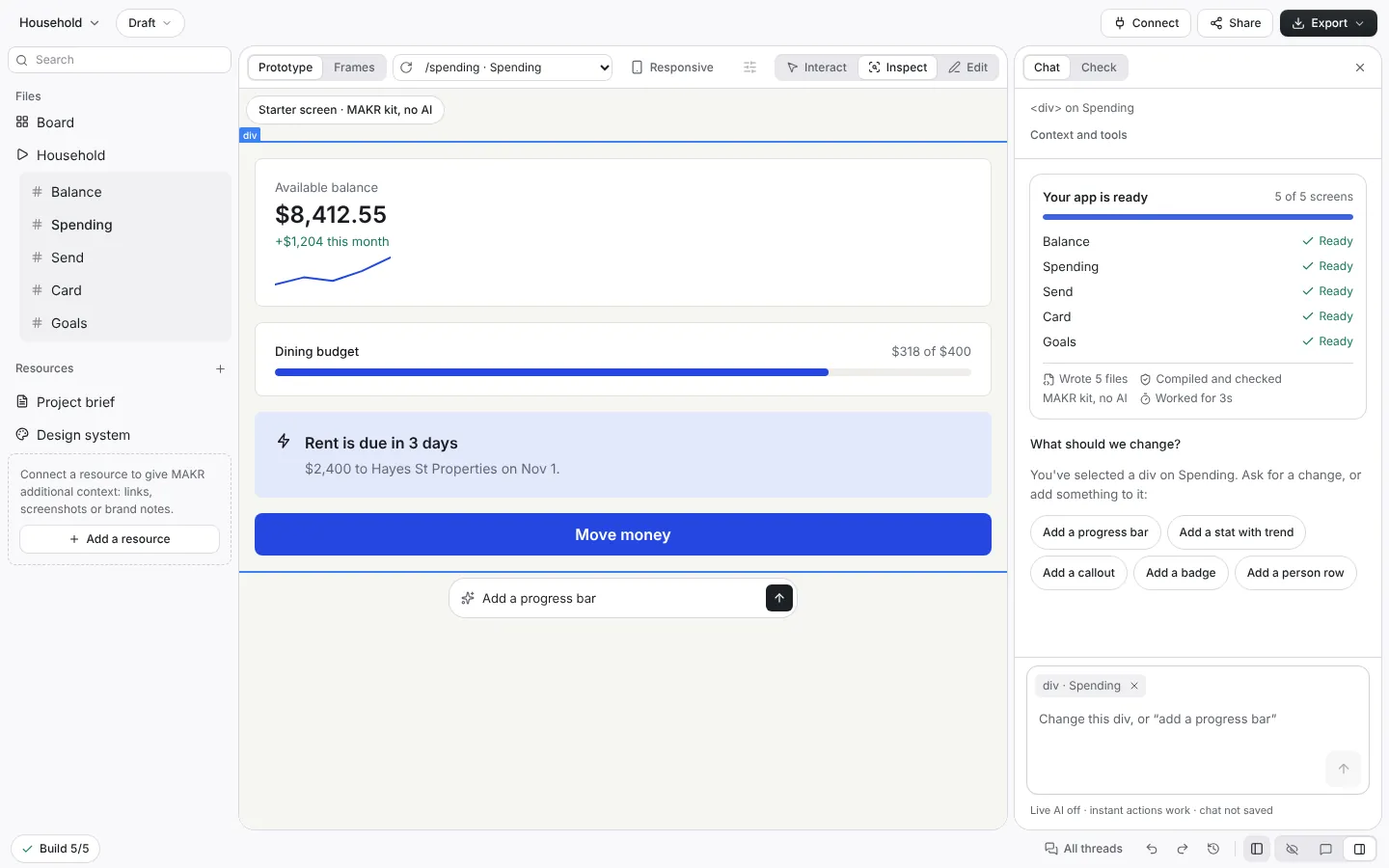
Select anything, then say what to change
Click an element and ask in plain words, or adjust its spacing, color and type directly. Changes land in the code, exactly where you pointed.
- Point-and-ask edits
- Direct style controls
- Add kit parts from the library
Take it with you
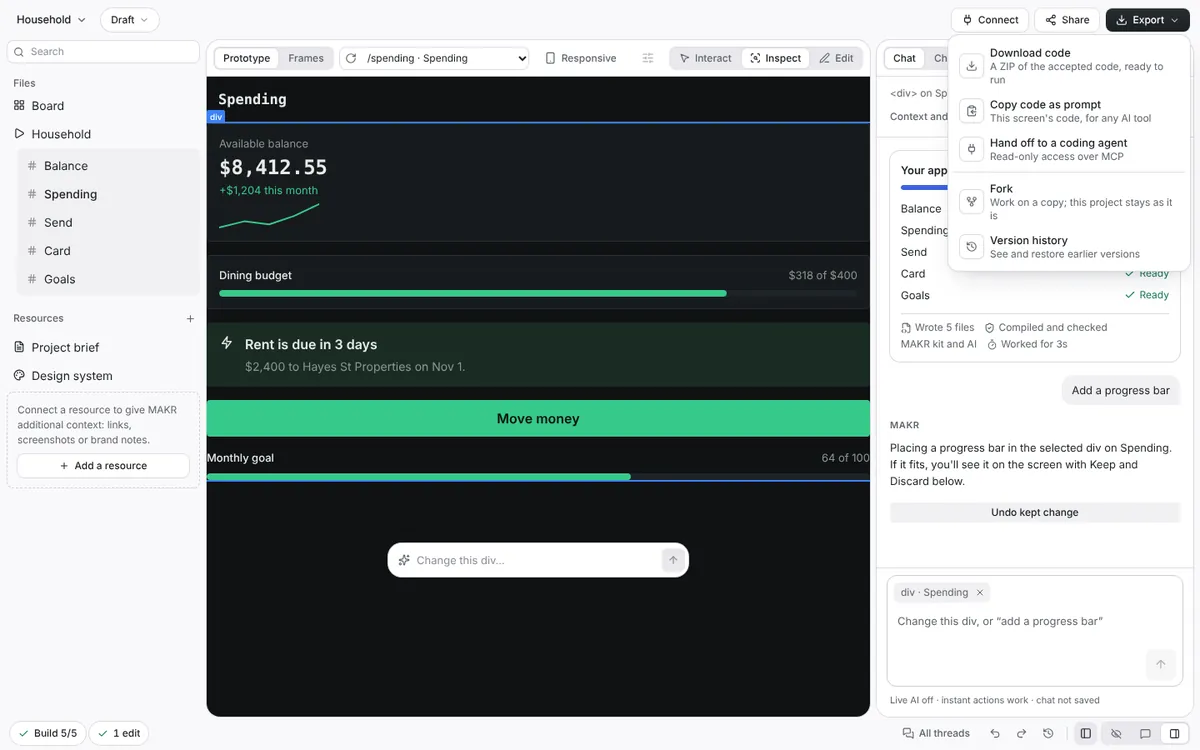
Share a prototype, or take the exact code
Publish a read-only link for feedback, copy a screen as a prompt, connect your coding agent, or download the code you kept.
- Download the code as a ZIP
- Copy code as a prompt
- Hand off to Claude Code, Cursor and more
Also in Studio
The details that keep you in control
Keep or Discard
Every AI change waits for your decision, and Undo restores exactly what you had.
Versions
Each kept change is a version. Restore any earlier one without losing what came after.
Quality checks
Contrast, tap targets and overflow are measured on the rendered screen, not guessed.
Real runtime
Screens run as real React in the browser, so what you see is what you ship.
Prototype links
Send a tap-through link anyone can open, no account needed. Revoke it any time.
Teams
Invite people with owner, admin, editor or viewer roles and work on the same projects.